Sports fans today want instant updates to stay connected to the action as it happens. Whether it’s checking the live score of a cricket match, following every goal in a soccer game, or tracking the final moments of a basketball match, Sports Data APIs make real-time updates possible by providing accurate and up-to-date information directly to apps and platforms.
But how do these apps deliver seamless, real-time updates? The answer lies in the Sports Data API. These APIs allow developers to access and share sports data instantly, ensuring fans get the most accurate and up-to-date information.
If you’re planning to create a live score app, this article on how to build a live score app using Sports Data APIs will help you understand how to choose the right API, connect it easily, and create a high-performing app that keeps your users engaged. From fetching live scores to designing a user-friendly interface, we’ll explain everything you need to deliver a great sports experience.
What Are Sports Data APIs?
APIs designed for sports make it easy to access and retrieve real-time sports data quickly and efficiently. These APIs provide a wide range of information, including live scores, detailed game statistics, player profiles, match schedules, team rankings, betting odds, and historical performance data.
Whether you’re building a fantasy sports app or creating a fan engagement platform, these APIs are essential for delivering accurate, real-time information to your users. They act as a bridge between your app and sports data providers, enabling seamless communication and ensuring that users receive up-to-the-minute updates.
By leveraging Sports Data APIs, developers can create apps that offer interactive features, enhance user engagement, and provide a reliable, high-quality sports experience. With access to live scores and stats, fans stay connected to the action, making these APIs a crucial part of modern sports applications.
Why Use Sports Data APIs?
1. Real-Time Data
Sports fans want instant updates to stay connected with their favorite teams and players. Sports data feeds provide live score updates, real-time alerts, player stats, and detailed play-by-play analyses. From the final moments of a close game to tracking season-long performance, these feeds keep users informed, engaged, and connected to every match.
2. Saves Development Time
Instead of building a data system from scratch, integrating a ready-to-use Sports Data API streamlines the process. This reduces workload, simplifies data management, and allows you to focus on creating a user-friendly app interface.
3. Accurate and Reliable
Reputable Sports Data APIs provide precise, up-to-date information on games, player statistics, and team performance. This ensures your app delivers trustworthy data, improving the user experience and building credibility with your audience.
4. Customizable and Scalable
APIs can be tailored to fit your app’s unique features and functionality. They offer flexibility to add or modify integrations as your project grows, handling increasing traffic and data demands to ensure your app remains fast and reliable.
5. Keeps Fans Engaged
Detailed scoreboards, in-depth stats, and real-time game insights make your app captivating for sports fans. By allowing users to follow every play and analyze performance, your app creates an immersive and interactive experience that keeps users coming back.
Best Sports Data APIs for Live Scores
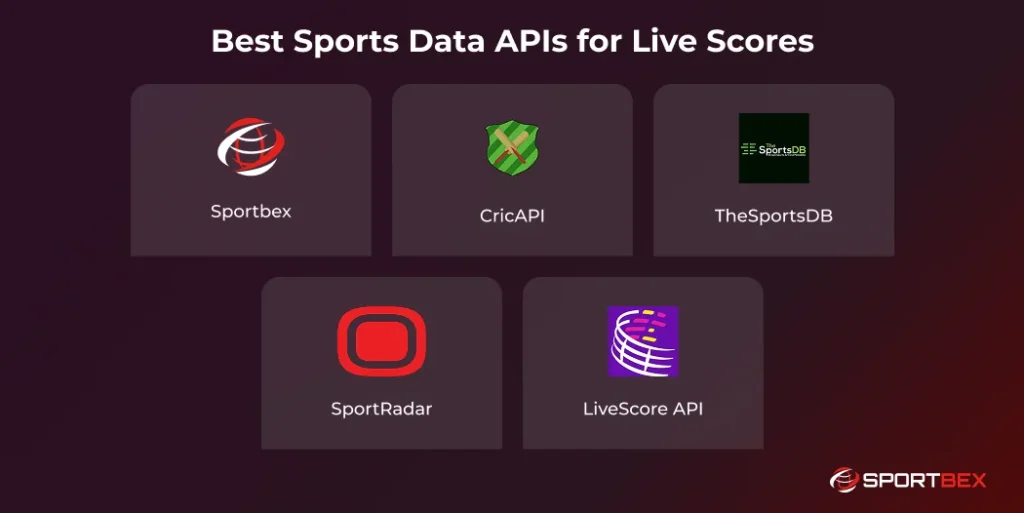
If you’re planning to build a live score app, choosing the right Sports Data API is crucial.
1. Sportbex
Sportbex is an excellent choice for developers looking to integrate live sports data into their apps. Whether you’re building with a soccer API, basketball API, or Cricket API, Sportbex offers real-time match updates and detailed statistics. Its reliable data feeds help enhance user engagement and provide an immersive sports experience.
Sportbex supports seamless integration with mobile and web apps, allowing developers to deliver consistent, up-to-the-minute scores across platforms. With extensive coverage of leagues and tournaments worldwide, it ensures fans never miss important updates or game highlights.
2. CricAPI
CricAPI is a dedicated cricket API that delivers live match scores, ball-by-ball updates, and player profiles. It allows developers to easily integrate real-time cricket data into their apps, keeping users informed about every run, wicket, and milestone in ongoing matches.
Additionally, CricAPI provides access to historical match data and player statistics, making it ideal for in-depth analysis and fantasy cricket apps. Its fast and reliable updates ensure cricket fans can follow games closely, enhancing engagement and user satisfaction.
3. TheSportsDB
TheSportsDB is a community-driven API offering extensive data for multiple sports, including soccer, basketball, rugby, and more. Developers can access team logos, player images, live scores, and detailed match statistics, making it ideal for apps that aim to provide comprehensive sports coverage.
TheSportsDB offers schedule information, league standings, and historical match results, helping apps provide a full sports experience. Its open and flexible API structure makes it easy to integrate into both web and mobile applications, ensuring fans get consistent, up-to-date information.
4. SportRadar
SportRadar is one of the most trusted and comprehensive sports data API providers globally. Used by professional leagues and broadcasters, it covers a wide range of sports such as soccer, basketball, tennis, and football. SportRadar ensures accurate, up-to-date data and reliable live updates, making it perfect for large-scale sports platforms.
SportRadar offers advanced analytics, player performance metrics, and historical data, enabling apps to provide in-depth insights for fans and analysts. Its global coverage and robust infrastructure make it ideal for apps handling high traffic and delivering consistent, real-time sports information.
5. LiveScore API
LiveScore API is designed for delivering instant and accurate live match updates. It’s ideal for applications focusing on real-time score tracking. With fast response times and dependable data delivery, this API ensures users stay updated on every goal, point, or play, enhancing the overall fan experience.
LiveScore API provides detailed player stats, team performance insights, and match summaries, making it perfect for fantasy sports apps and in-depth game analysis. Its easy integration and reliable data feeds allow developers to create apps that keep fans fully engaged throughout every match.
6 Steps to Building Your Live Score App with Sports Data APIs
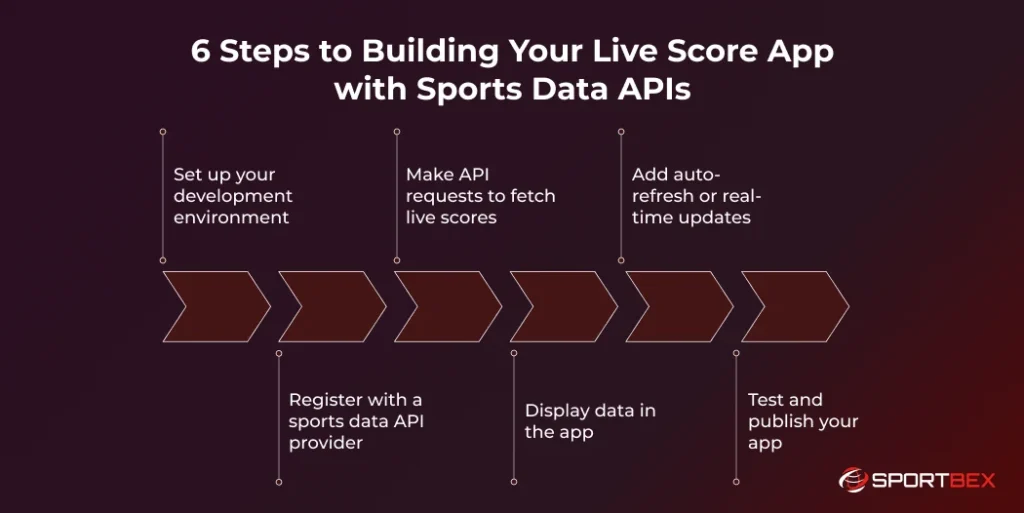
Creating a live score app may seem complex, but breaking the process into clear, manageable steps makes it simple. Follow this step-by-step guide to build a high-performing, real-time sports app.
Step 1: Set Up Your Development Environment
Start by setting up the right development tools. Choose a programming language such as Python, JavaScript, or Swift, and install an Integrated Development Environment (IDE) like Visual Studio Code or PyCharm. A well-prepared environment ensures smoother development and faster implementation of live score features.
Step 2: Register with a Sports Data API Provider
Select a Sports Data API provider that matches your app’s needs, whether it’s live scores, player statistics, or match schedules. Compare providers based on features, pricing, and reliability. Once you decide, sign up for an API key, which allows your app to securely access real-time sports data.
Step 3: Make API Requests to Fetch Live Scores
Use your API key to request data from the provider’s server. Retrieve live match updates, player stats, or game schedules in real time. Ensure your app handles API endpoints efficiently to provide accurate and up-to-date information for sports fans.
Step 4: Display Data in the App
Design a user-friendly interface to showcase the retrieved data. Create interactive scoreboards, detailed player profiles, and match summaries. Focus on clean layouts, intuitive navigation, and engaging visuals so users can easily follow games and player performance.
Step 5: Add Auto-Refresh or Real-Time Updates
Implement WebSockets or periodic polling to automatically refresh live scores and stats. This ensures users receive continuous, up-to-the-minute updates without manual refreshes, keeping fans engaged throughout the match.
Step 6: Test and Publish Your App
Test your app thoroughly under various conditions to resolve bugs and ensure performance under high data loads. Once stable, deploy your app on mobile app stores or as a web platform, and gather user feedback to make continuous improvements.
Get a Ready-Made Platform On Rent.
Get Started Today
Conclusion
A live score app can be much more than just a platform for game updates. It can become a full-featured hub for sports fans, offering real-time sports data, match scores, player statistics, team insights, and interactive scoreboards. By integrating fantasy leagues, fans can engage more deeply, create their own teams, and track performance.
Using sports data APIs ensures accurate and instant updates, while push notifications keep users informed about upcoming games, scores, and breaking news. Adding features like match analysis, historical data, and player performance tracking enhances the overall experience.
This combination of real-time sports data, interactive features, and detailed statistics keeps users engaged, increases app retention, and makes your platform a go-to destination for sports enthusiasts worldwide.
Frequently Asked Questions
Sports Data APIs are tools that allow apps to access real-time sports information like live scores, player stats, match schedules, and team rankings. They connect your app to reliable sports data providers, enabling instant updates and seamless integration.
Using a Sports Data API saves development time, ensures accurate real-time data, and allows customization to fit your app. It also keeps users engaged with live scores, player statistics, and interactive features.
Some of the top APIs include Sportbex, CricAPI, TheSportsDB, SportRadar, and LiveScore API. They provide reliable real-time updates, player stats, match schedules, and support multiple sports for web and mobile apps.
First, register with a sports data API provider and get your API key. Then make API requests to fetch live scores and player stats, display the data in a user-friendly interface, and add auto-refresh or real-time updates to keep users engaged.
The main steps include setting up your development environment, choosing an API provider, fetching live scores, displaying data in the app, adding real-time updates, and testing before publishing. This ensures a smooth, high-performing app for sports fans.
Recent Blog



How to build a low-latency live sports streaming app using APIs
September 9, 2026
 12 min

Cricket API Uptime & Availability: What Developers Should Know
August 27, 2026
13 min
Access Complete Sports Data Fast and Keep Updates Ready!
API Free Trial